Tools
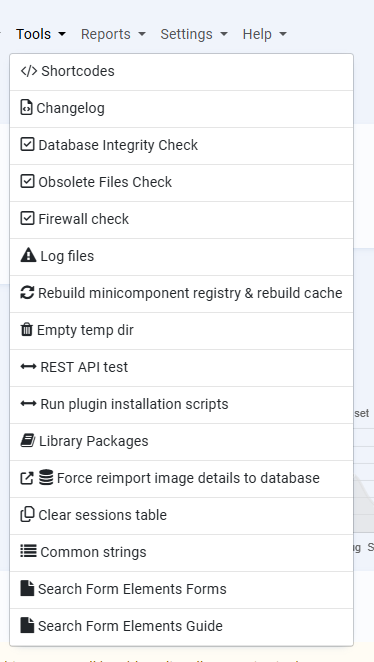
Tools are generally tasks that you may only use when troubleshooting Bookyflow behaviour. Most of these options, with the exception of Shortcodes, you’re likely to never need but let's describe them anyway.
Shortcodes
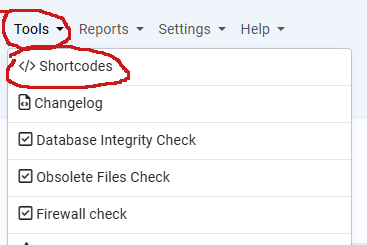
Shortcodes are small snippets of text that you can add to an article or module (Joomla) or page or post (WordPress) to include Bookyflow generated content. This content can be search forms, search results, property items such as maps, etc. The list is long.
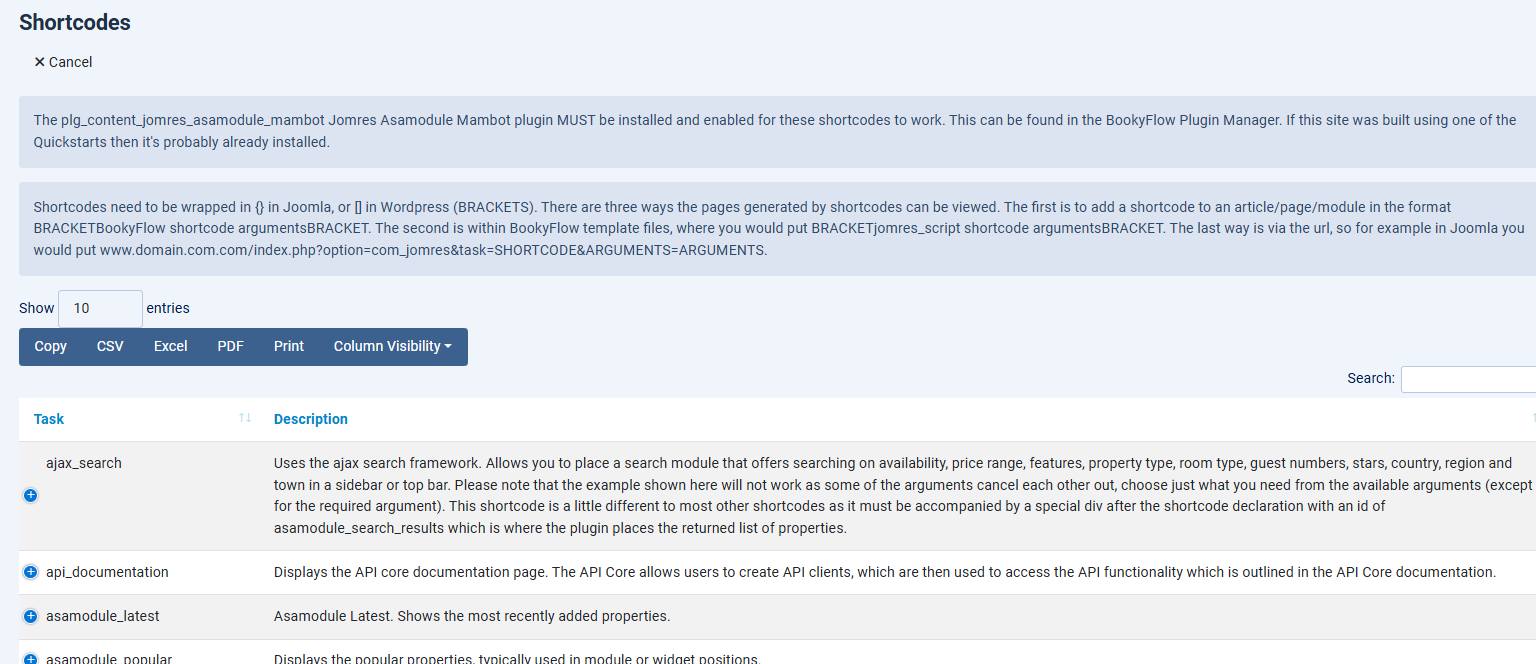
For a shortcode to work you first need to install a CMS specific plugin that is triggered by the host CMS to send the snippet to Bookyflow which then generates the content.
Preparing to use shortcodes
New Installations
-
Joomla : BookyflowAsamodule Mambot. Once installed you may need to visit your site’s Discovery page so that Joomla can find and install the plugin. When it is installed you will then need to Publish it.
-
WordPress: Bookyflow Shortcodes. After you have installed this plugin remember to visit the WordPress plugins page and Activate the plugin.
► The Alternative Init plugin must be installed in the Bookyflow plugin manager.
Quickstart Installations
If you’re using one of the Quickstarts these plugins will have already been installed for you.
The Quickstarts come pre-built with a lot of shortcodes already set. This is mainly to give you a foundation to work from for building your own sites and to show you how to use them. They’re quite a huge time saver.
Using Shortcodes
► NB: The shortcode syntax follows the host CMS’s shortcode convention for syntax, therefore Joomla shortcodes are bracketed by curly braces {} while WordPress shortcodes are bracketed by square braces. []
The shortcodes page, like many of the pages in Bookyflow, is dynamically generated. What appears in this page depends on what plugins are installed. Bookyflow Core comes with a set of shortcodes and plugins can add their own.
Shortcodes are made up of three parts. The first is always “bookyflow”, or “bookyflow_script” if it’s used in a Bookyflow template file. Next you have the task, eg “stepz”, then finally you have the arguments. The arguments may not always be suggested or used, it depends on the script being called.
A shortcode can be very simple, such as: {bookyflow stepz} or quite complicated, such as: {bookyflow ajax_search &ajs_plugin=ajax_search_composite&asc_template_style=multiselect&view_on_property_details=0&property_uids=1,3,7,84,6&ptypes=12,4,34}
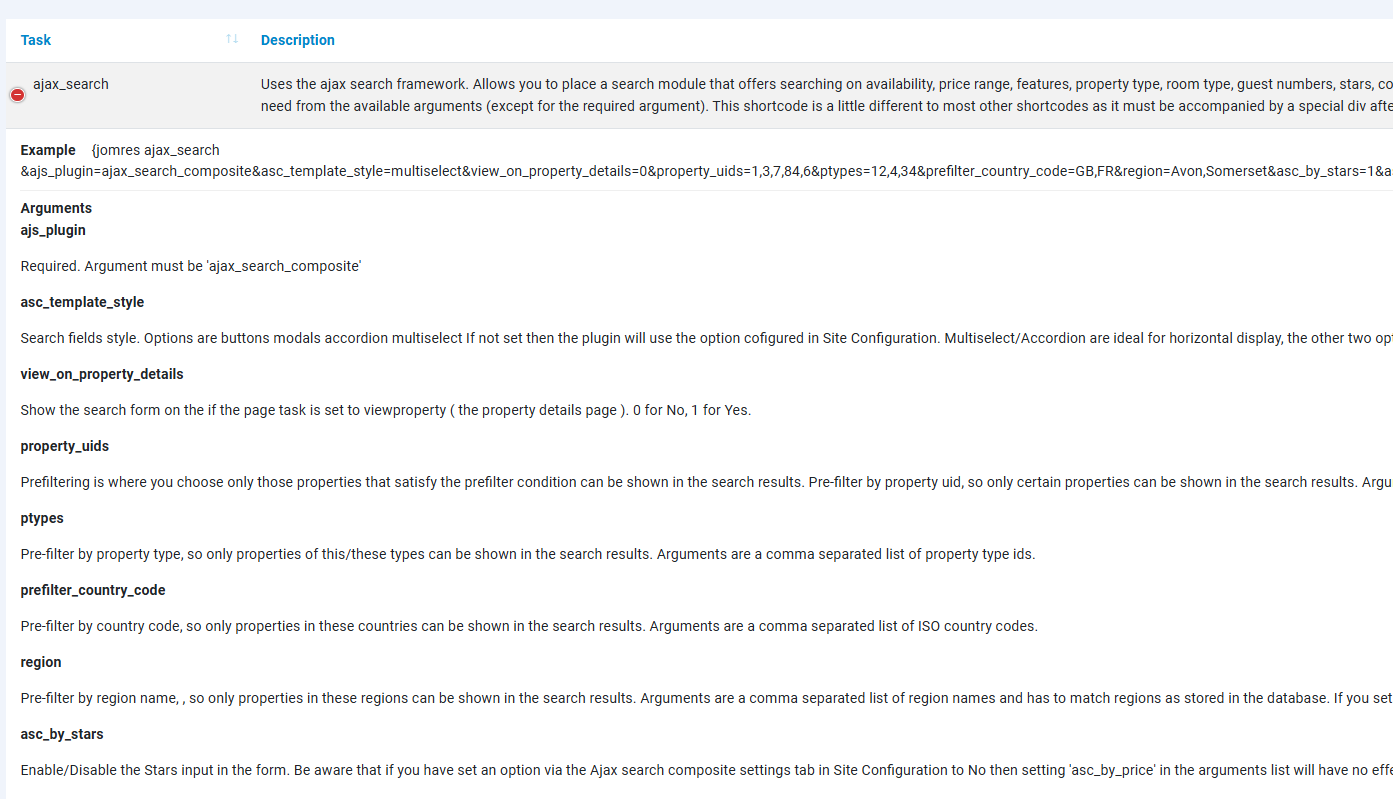
The shortcodes page will try to show you all possible arguments to use in a shortcode, however it’s impossible for the shortcodes page to know which arguments don’t work with each other so it’s important that you apply some thought when creating shortcodes. For example the Ajax Search Composite plugin’s arguments property_uids=1,3,7,84,6&ptypes=12,4,34 might result in an empty set of search results if properties 1, 3, 7, 84 or 6 aren’t of the property types 12, 4 or 34. It’s always best to apply the minimum number of arguments as possible, certainly in the beginning, untill you become more acquainted with these features.
Examples
Here you can see a shortcode for the Property Grid plugin used in a Joomla article. You can also use shortcodes in Joomla site modules. To do that, create a new Custom site module and enter your shortcode, then in the Options tab of that module make sure that you set “Prepare Content” to Yes. This will ensure that Joomla hands the custom content (i.e. the shortcode) off to the BookyflowAsamodule Mambot plugin to be parsed.
In hereafter exemple you can see short codes usefull for potential customers to search for accomodation by date, etc...
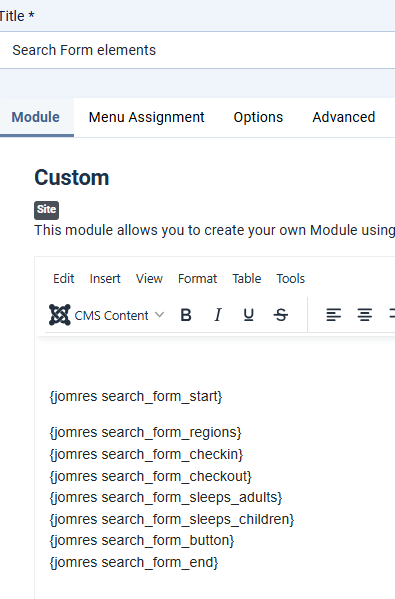
You can use almost the same syntax in WordPress but instead you would use [jomres search_form_start], [jomres search_form_regions], etc.
Wordpress screenshot of a shortcode in a page using the shortcode block :
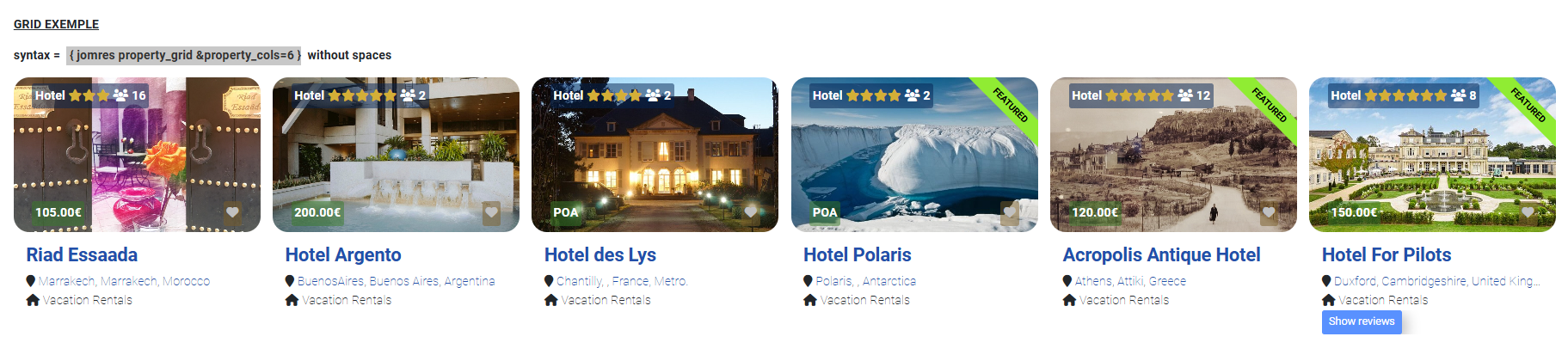
This is what the shortcode results look like in the page.

Shortcodes are an exceptionally powerful feature in Bookyflow, and there is more information in the Bookyflow Site Designer’s guide that shows you how you can create your own shortcodes.
Another exemple would be : ► for joomla: {jomres property_grid &property_cols=6} ► for wordpress: [jomres property_grid &property_cols=6]
Changelog
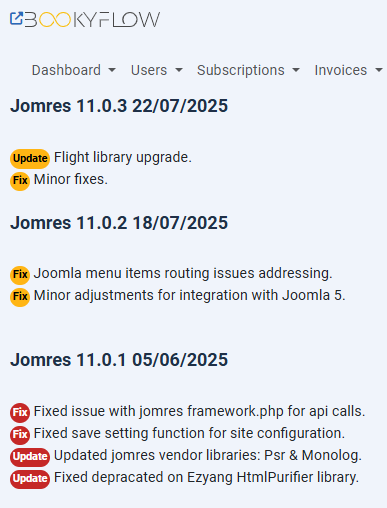
The changelog page shows the Bookyflow Changelog for Bookyflow.
Database Integrity Check
You may need to use this feature if you’re updating from a very old copy of Bookyflow and it didn’t work first time. If there’s any doubt that your database tables were updated during the update process you can use this page to double check that your database is up-to-date. It will automatically make any changes that may have not been completed successfully previously. This feature although being sometimes very usefull is rarely used.
Obsolete Files Check
Over the years thousands of files have been added and removed from Bookyflow. By default Bookyflow will automatically delete any obsolete files however if you’re in any doubt that that’s worked you can use this tool to delete any that need to be removed. As the previous one, this feature although being sometimes very usefull is rarely used.
Firewall Check
No man is an island, and the same can be said for Bookyflow. Over the years, many developments have ensured that Bookyflow is as self-reliant as possible. This insulates Bookyflow from breaking changes created by updates to the host CMS, to a large degree, however there are some things that it simply can’t do for itself. For example, Bookyflow can download and use exchange rate information from remote sources, but this requires that your server be set up to communicate with remote services. The Bookyflow Plugin Manager talks to Bookyflow servers to download and install plugins.
It’s rare, but some web server’s firewalls may not allow scripts on that server to talk to remote services.
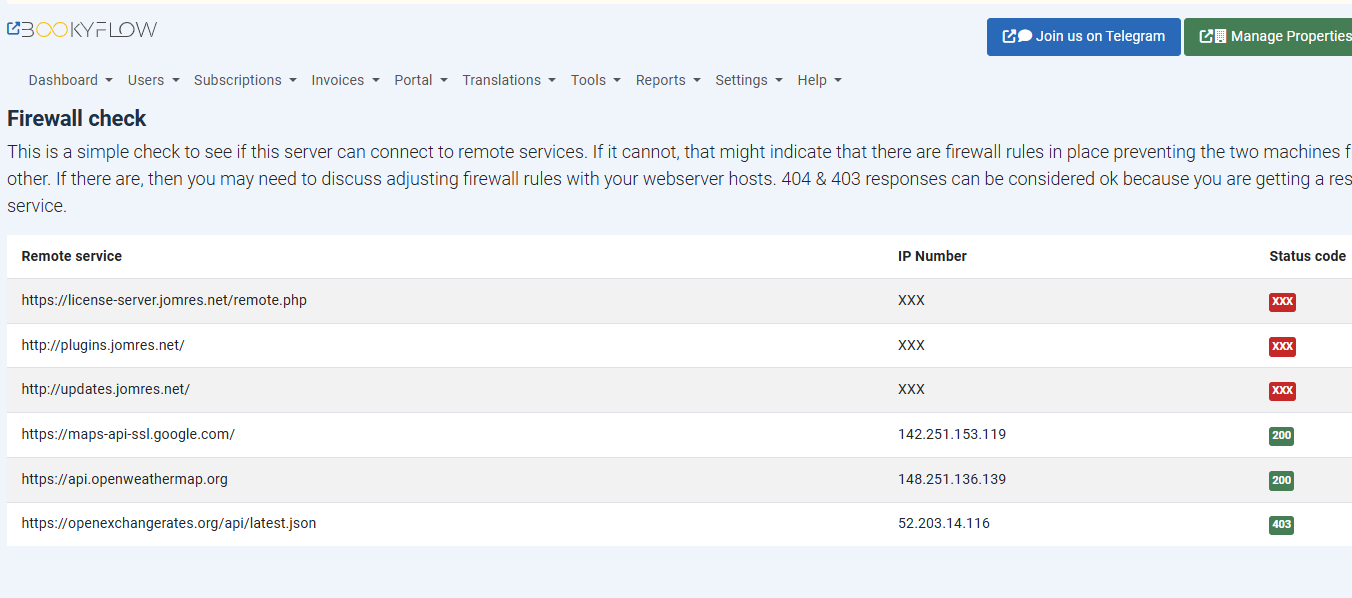
That page helps you or your technical people to discover if a firewall is possibly preventing your installation of Bookyflow from talking to other services.
Log Files
You will see here a list of any available log files, broken into two categories.
The first are the system logs. These are automatically made by Bookyflow and allow you to closely analyse many of the things that Bookyflow is doing.
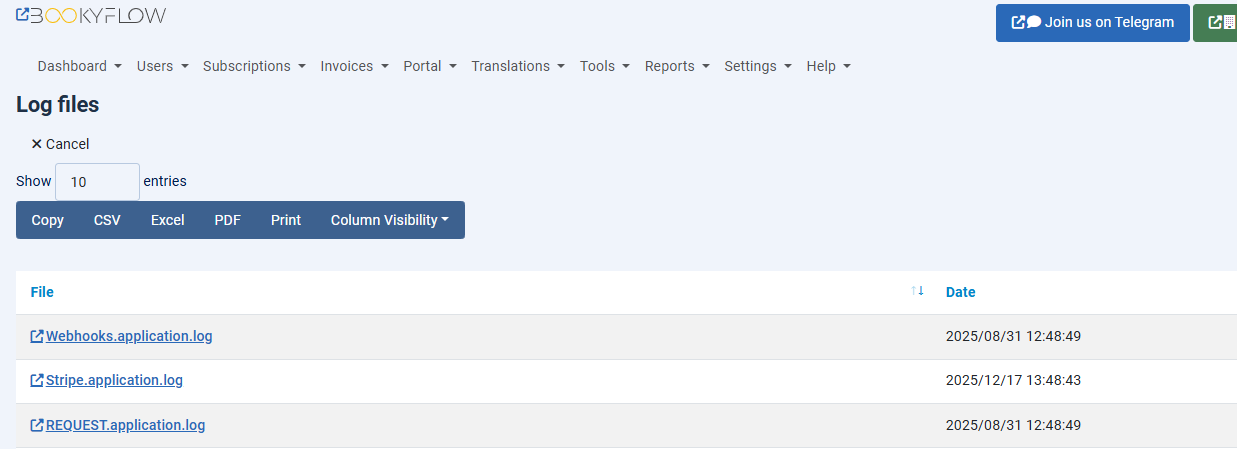
The second are the individual Error logs that might have been triggered due to a problem or mis-configuration. Note, only the last two week's worth of these files are shown.
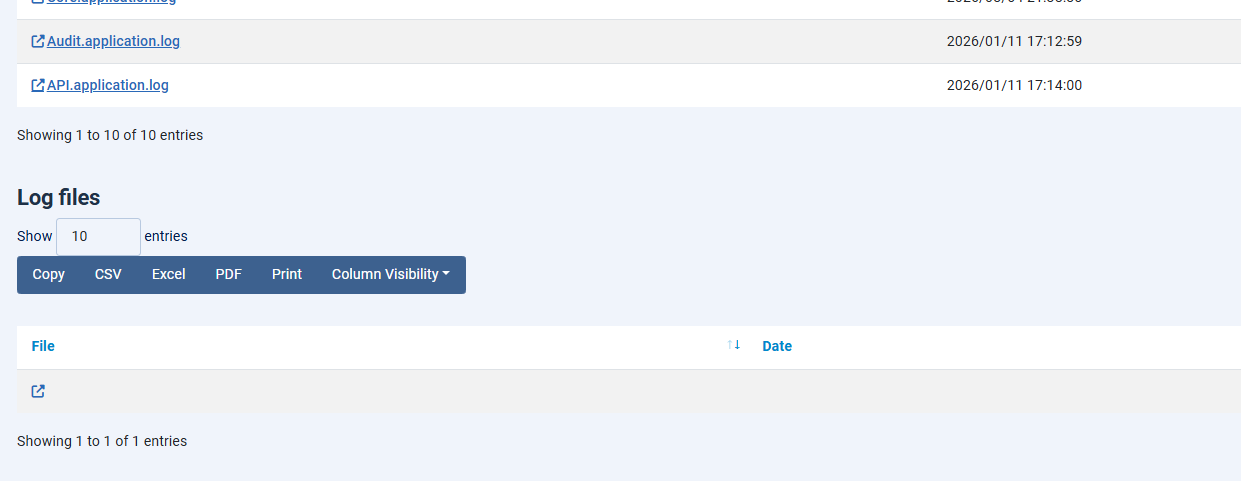
The amount of logging that happens depends on your Site Configuration > Debugging tab > “Production or Development?” setting. One of the reasons that you should always leave your site in Production mode is that when it’s set to development the logs will store a lot of debugging information that’s useful to a developer but for most people it’s a waste of storage.
In Site Configuration > Debugging you can configure the storage location of the log files. You can also configure a syslog server in case you want to send log information to another server. This is useful if you want to more closely monitor your site’s behaviour, however most people don’t use it.
Rebuild minicomponent registry and rebuild cache
The minicomponent registry is an internal library of all Bookyflow scripts and classes. Normally it is updated automatically when a plugin is added or removed, or when Bookyflow detects that the registry file is about a day old.
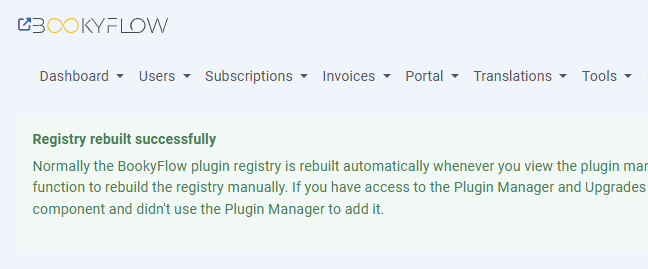
A file with the pattern jnnnnnxxxxx.class.php needs to exist in this registry before it can be used.
This is a developer tool which is discussed more in the Site Designer’s guide.
Empty temp dir
The /bookyflow/temp directory files are automatically regenerated by Bookyflow as needed. In the unlikely event that something has gone wrong with your Bookyflow installation, it’s possible to empty out this directory in case one of the files here has become corrupted. Rarely used.
RESTAPI test
The Bookyflow RESTAPI is a powerful tool that can be used by off-site servers to communicate with yours.
On installation Bookyflow creates an administrator client so that if it needs to, it can talk to itself via the RESTAPI. On this page you will see that the client’s name is ‘system’ and it’s client secret. These credentials are then used by Bookyflow to request an OAuth2 token so that it can perform any Admin API functions. Because some sites are not setup to correctly handle API requests this client isn’t typically used by day-to-day Bookyflow functionality, however some features such as the Channel Management Framework offer Admin level features.
Unfortunately, some sites are not always capable, due to server configuration, of handling REST API calls and this tool is designed to help us determine your server’s current state.
There are a number of reasons why the RESTAPI test might fail.
It may well fail with a 500 error. To determine the cause you will need to check your PHP error log.
A number of settings you can try are as follows.
In your .htaccess in the root of your CMS's installation, try setting as the following :
RewriteRule .* - [E=HTTP_AUTHORIZATION:%{HTTP:Authorization}] RewriteCond %{REQUEST_URI} !^/jomres/api/
Library Packages
Typically library packages are installed when Bookyflow installed but if there’s any doubt that a library is fully installed we can use this page to re-install them. This functionnality is rarely used.
Force reimport image details to database
References to uploaded images are stored in the database. If there’s an issue with the database we can tell Bookyflow to re-discover uploaded and re-populate the database. If you ever see that images aren’t showing when they should be, you can try re-importing them into the database. This functionnality is rarely used.